How to Redesign an Existing Website Using AI and Modern UX Benchmarks
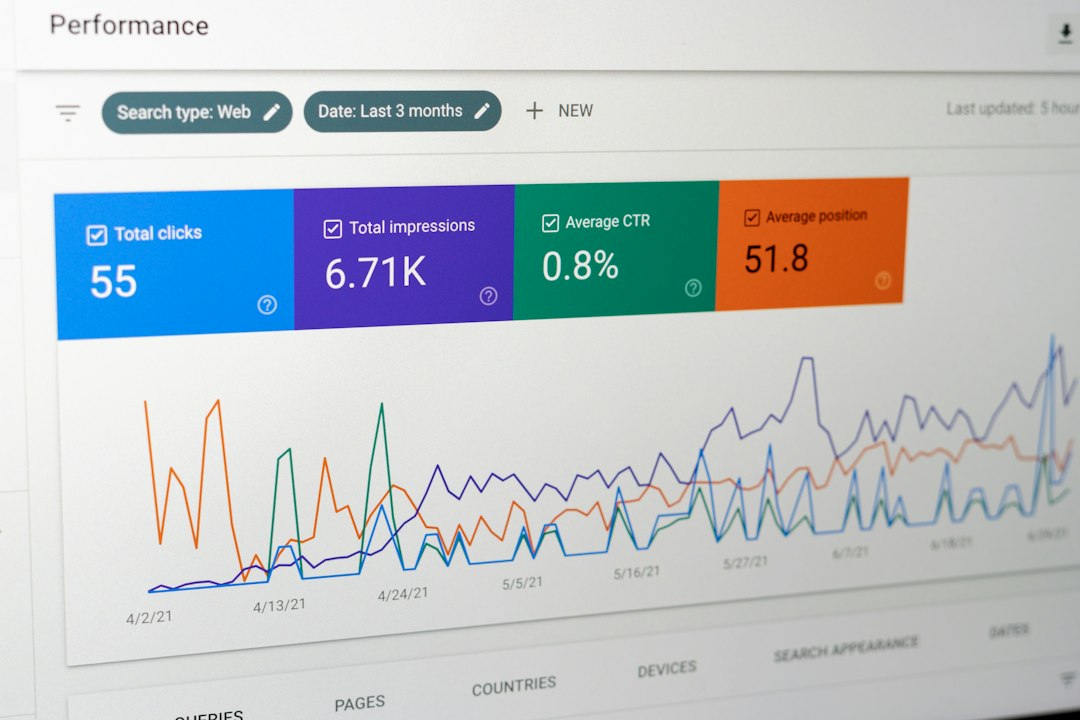
Strategic Planning: Audit, Benchmarks, and Discovery
Before jumping into design software or running automated scrapers, we need a clear baseline. A successful redesign begins with measurable discovery, not artistic guesswork. When organizations jump directly into visual refreshes without evaluating performance metrics, they risk dismantling the very components that drive revenue.
We start by auditing three critical layers of the current site:
- User Experience (UX) & Analytics: Review your Google Analytics 4 data to identify high-exit pages, average session durations, and drop-off points in your conversion funnels. 70% of users form an opinion about a business within 5 seconds of landing on its website, meaning first impressions dictate whether a prospect reads further or bounces.
- Technical Performance: Benchmark your current Core Web Vitals, checking metrics like Largest Contentful Paint (LCP) and Cumulative Layout Shift (CLS). Slow load times actively destroy conversion rates.
- Business Objectives & Key Performance Indicators (KPIs): Define what success looks like in plain numbers. Are you aiming for a 25% lift in demo requests, a 15% reduction in bounce rate, or a 40% increase in qualified phone inquiries?
Establishing these benchmarks gives your team an objective scorecard. It removes subjective opinions (“I don’t like this shade of blue”) and anchors every design choice in business growth.
Why Evolving Beats Starting Over to Redesign Existing Website Systems
A common mistake is assuming that an overhaul requires throwing away every line of code, URL, and piece of copy. In reality, evolutionary redesign almost always outperforms starting from a blank canvas. Complete rebuilds wipe out years of accumulated domain authority, disorient existing customers who rely on familiar workflows, and introduce massive project risk.
When you evolve a platform systematically, you preserve the brand equity and user familiarity that already function well. Visitors experience less cognitive load because familiar pathways remain intuitive, while friction points are smoothed out. As demonstrated across our work with local businesses and high-profile clients, preserving your core digital assets while modernizing the interface ensures a seamless transition that protects your bottom line.
User Research and Information Architecture
Information architecture (IA) is the backbone of your digital presence. If visitors cannot find your pricing, core services, or contact details within seconds, your visual aesthetic will not save the sale.
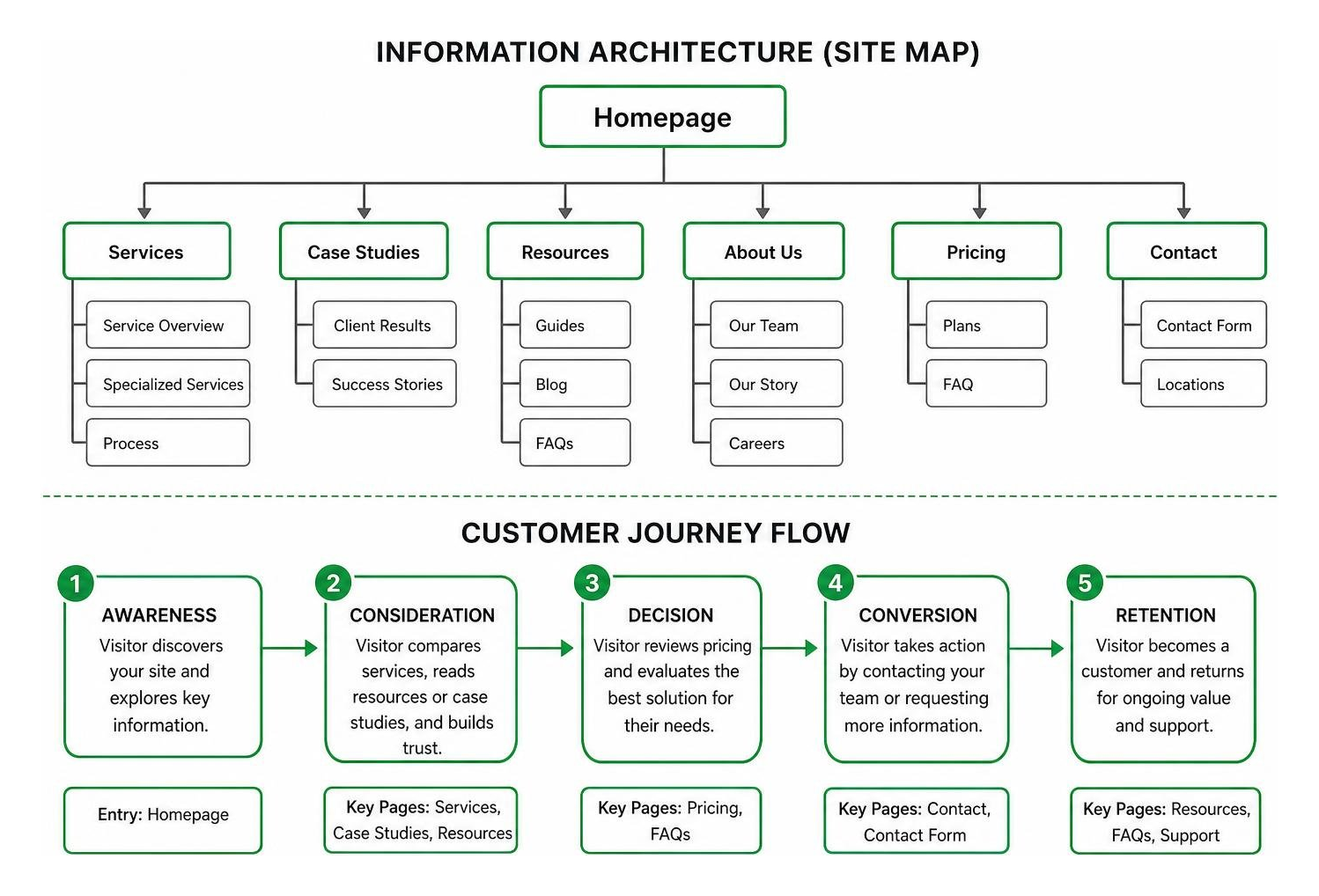
To build a high-converting hierarchy:
- Conduct User Research & Journey Mapping: Map out the exact questions prospects have at each stage of their buying journey. What objections must you resolve before they book a call?
- Card Sorting & Taxonomy Structuring: Group related services and resources logically. If you offer specialized services, avoid burying them inside a generic, multi-tiered drop-down menu.
- Content Hierarchy & Navigation: Keep primary navigation links limited to 5–7 intuitive categories. Ensure that high-value conversion pages are accessible within two clicks from anywhere on the domain.
How to Redesign Existing Website Architecture Without Losing SEO
Nothing is more disheartening than launching a sleek new site only to watch your organic search traffic plummet overnight. When site architecture changes, search engine crawlers must re-evaluate your relevance and page authority. If you alter URLs, remove high-ranking text, or break internal links, you discard months or years of earned SEO equity.
Preserving search visibility requires strict technical parity checks throughout the redesign process.
Establishing SEO Parity and 301 Redirect Mapping
The golden rule of technical redesigns is simple: keep URL paths identical whenever possible. If your legacy URL is /commercial-roofing-repair, do not change it to /services/roofs without an intentional, documented reason.
When URL adjustments are unavoidable, a comprehensive 301 redirect mapping strategy is essential:
- Crawl the Legacy Site: Export every live URL, index status, meta title, meta description, and H1 tag from your existing domain using an SEO crawler.
- Create a 1-to-1 Redirect Map: Pair every old URL with its exact modern counterpart. Never redirect all legacy URLs indiscriminately to your homepage; this triggers soft 404 errors and dilutes search value.
- Preserve Structured Data and Schema: Ensure LocalBusiness, Service, Review, and Organization schema markup are transferred and validated in Google’s Rich Results Test.
- Verify Indexation in Google Search Console: Immediately post-launch, submit your updated XML sitemap and monitor the Index Coverage and Core Web Vitals reports for crawl anomalies.
Content Audit and Message Strategy
A content audit reveals which pages generate organic traffic and conversions, and which can be pruned or consolidated.
Before editing any copy, categorize every page into four distinct buckets:
- Keep: High-traffic, high-ranking pages with strong conversion rates. Leave their core copy, headings, and keyword focus intact.
- Refresh: Pages targeting relevant keywords that have dropped in ranking or suffer from high bounce rates. Modernize the design, add compelling social proof, and enhance scannability.
- Consolidate: Thin or overlapping articles that compete with each other for search terms (keyword cannibalization). Merge them into comprehensive cornerstone resources.
- Prune: Outdated announcements, expired promotions, or non-performing pages that waste crawl budget.
Our past projects in the project archive show that refining existing high-performing copy while updating layout readability produces a substantial lift in user engagement without risking organic rankings.
AI-Driven Workflows vs. Traditional Design Methods
The web design landscape has shifted dramatically. In the past, redesigning an outdated site required weeks of manual wireframing, static screenshot recreation, and tedious front-end slicing. Today, modern AI tools, automated scanners, and design system generators handle routine development tasks in minutes, enabling design teams to focus on strategy and conversion architecture.
Using AI for initial front-end scaffolding can eliminate up to 60% of manual layout work, dramatically compressing project timelines and accelerating time-to-market.
Using AI to Redesign Existing Website Layouts and Prototypes
Modern AI design platforms and plugins can ingest an existing URL, extract its underlying typography, color tokens, and structural sections, and produce modern layout variants instantly.

Here is how modern teams leverage AI within their redesign pipelines:
- Automated Site Capture: Tools like AI Website Redesign — Rebuild your existing website from a URL | Repaint and redesign.page | Modern website in minutes | AI redesign tool can scrape public assets directly from a live domain, translating raw HTML into clean, editable component blocks.
- SaaS and Product Optimization: Specialized generators such as ResetUI – AI SaaS Landing Page Redesign Tool analyze structural sections—like hero banners, pricing grids, and feature callouts—and restyle them against modern UI benchmarks without building from a blank slate.
- Design Token Generation in Figma: Figma plugins like
html.to.designcapture entire web pages and auto-generate local color and typography styles. This allows designers to swap out global styles, update brand palettes, and modernize layouts in seconds. - Clean Code Export: Instead of locking you into proprietary platforms, tools like Redesignr can generate production-ready HTML, TailwindCSS, or modern framework components (Next.js, Astro) for rapid developer handoff.
Comparing Redesign Methods: AI Tools, In-House, and Digital Agencies
Choosing the right approach depends on your internal technical expertise, backend complexity, and revenue goals.
| Redesign Approach | Typical Cost | Average Timeline | Best Fit For | Primary Limitations |
|---|---|---|---|---|
| Standalone AI Redesign Tools | $9 – $50 one-time (or $4–$25/mo) | Minutes to 1 Day | Simple landing pages, basic portfolios, indie SaaS MVPs | Cannot handle custom backends, user auth, complex e-commerce, or custom integrations |
| DIY Website Builders | $15 – $60/month | 1 to 3 Weeks | Solopreneurs with non-technical requirements | Generic templates, limited SEO migration controls, vendor platform lock-in |
| Full-Service Digital Agency | $3,000 – $15,000+ | 2 to 6 Weeks | Growth-focused local businesses, complex SaaS, e-commerce | Higher initial investment, requires stakeholder collaboration |
While automated tools excel at visual scaffolding, full-scale business transformations require comprehensive conversion architecture, technical SEO auditing, and custom backend logic that software alone cannot provide.
Prototyping, Usability Testing, and Launching an MVP
A redesign should never go live directly from code without rigorous, interactive validation. Testing early prevents costly post-launch bugs and ensures your target audience finds the interface effortless to navigate.
Interactive Prototyping and Usability Validation
Build high-fidelity, interactive prototypes in Figma or your chosen design environment before initiating full development. Test these prototypes with real users and internal stakeholders to validate assumptions.

Focus on three key validation areas:
- User Navigation Testing: Can a test participant find a specific service, read a customer case study, and submit an inquiry without confusion?
- Accessibility (WCAG AA Compliance): Verify color contrast ratios, screen-reader compatibility, keyboard navigation support, and readable font sizing across mobile viewports.
- Micro-Interactions & Hover States: Confirm that buttons, form fields, and dropdown elements provide clear visual feedback when tapped or hovered.
Staging, Beta Testing, and Minimum Viable Product Launch
Rather than waiting months for a monolithic “perfect” launch, adopt a Minimum Viable Product (MVP) release strategy. Deploy your redesign to a password-protected staging server and run end-to-end technical checks:
- Cross-Browser & Cross-Device QA: Test the staging environment across Chrome, Safari, Firefox, Edge, iOS, and Android to eliminate visual bugs.
- Core Web Vitals & Lighthouse Audits: Run performance benchmarks to verify that images are compressed in modern formats (WebP/AVIF), script execution is deferred, and server response times remain under 200ms.
- Form & Webhook Verification: Submit test inquiries through all contact forms, calendar integrations, and phone call tracking numbers to ensure lead routing functions without error.
- Beta Release: Roll out the MVP version to a small segment of your audience or trusted customers to gather real-world behavioral feedback before full DNS propagation.
Post-Launch Optimization and Continuous Iteration
Launching your redesigned website is not the finish line—it is the beginning of continuous, data-driven optimization. A website is a dynamic sales asset that requires ongoing refinement based on real user interactions.
Real-Time Performance Benchmarking and Analytics
Immediately following DNS switchover, monitor your telemetry closely:
- Conversion Tracking: Ensure your GA4 custom events, Google Tag Manager containers, and conversion tracking pixels fire accurately.
- Heatmaps & Session Recordings: Use tools like Hotjar or Microsoft Clarity to watch where users click, where they hesitate, and where scroll engagement drops off.
- Search Engine Crawl Health: Review Google Search Console daily for the first two weeks to identify and resolve any 404 errors or indexing discrepancies immediately.
Continual Improvement and Data-Driven Refinement
Rather than leaving your website static for another three years, adopt agile micro-sprints. Test different headline variations, refine call-to-action button placements, and introduce dedicated landing pages for your paid advertising campaigns.
At Agency Next, our about philosophy centers on viewing digital platforms as continuous conversion engines. By pairing ongoing CRO testing with agile design adjustments, your platform compounds its lead generation efficiency over time.
Frequently Asked Questions About Website Redesigns
How much does it cost to redesign an existing website?
The cost of a website redesign varies depending on the approach and functional scope:
- Automated AI tools and Figma plugins range from $9 to $50 for one-time visual exports, or $4 to $25 per month for hosted AI site platforms.
- Freelance designers typically charge between $1,500 and $5,000 for standard brochure websites.
- Full-service digital marketing agencies typically charge between $3,000 and $15,000+ for strategic redesigns that include custom conversion optimization, technical SEO migration, CRM integrations, and brand positioning.
How long does a typical website redesign take?
While simple AI generators can produce an initial visual preview in 2 to 5 minutes, an end-to-end professional redesign typically spans 2 to 6 weeks. This timeline covers competitive research, content audits, SEO redirect planning, interactive prototyping, custom development, cross-device QA, and conversion tracking setup.
Will redesigning my website hurt my existing search engine rankings?
Not if the redesign is executed with a rigorous SEO migration plan. You can protect your search visibility by:
- Maintaining your established URL structures wherever possible.
- Implementing strict 1-to-1 301 redirects for any relocated pages.
- Retaining high-performing keyword copy and headings.
- Ensuring fast mobile loading speeds and clean technical markup.
Conclusion
Redesigning your website should never be an exercise in subjective visual preference. By pairing data-backed discovery, rigorous SEO migration standards, and modern AI-accelerated workflows, you can modernize your brand presence without risking the search visibility and user trust you have spent years building.
If you are ready to turn your digital presence into a high-performing lead generation engine, explore our full-service website design and marketing services or contact our team in Waukesha, WI today to schedule your comprehensive site audit.